Table of Contents
Overview #
Drivewyze 5.0 is a brand new app for Bypasses from Drivewyze that replaces the current app. Use this article as a guide to transition into the new experience.
What you’ll need #
- Current log in information, which includes your email and password.
(If you can’t remember your password, you can request a password reset in the app.) - Download and install new app.
- Location services enabled on your mobile device.
- Alerts enabled on your mobile device.
Log in to the app with an existing account #
- Download the app from the app store.
- Open the app, then tap Log In.

- Enter your Drivewyze username and password, then tap Log In.
Note: If you forgot your password, tap Forgot Password and follow prompts to reset your password.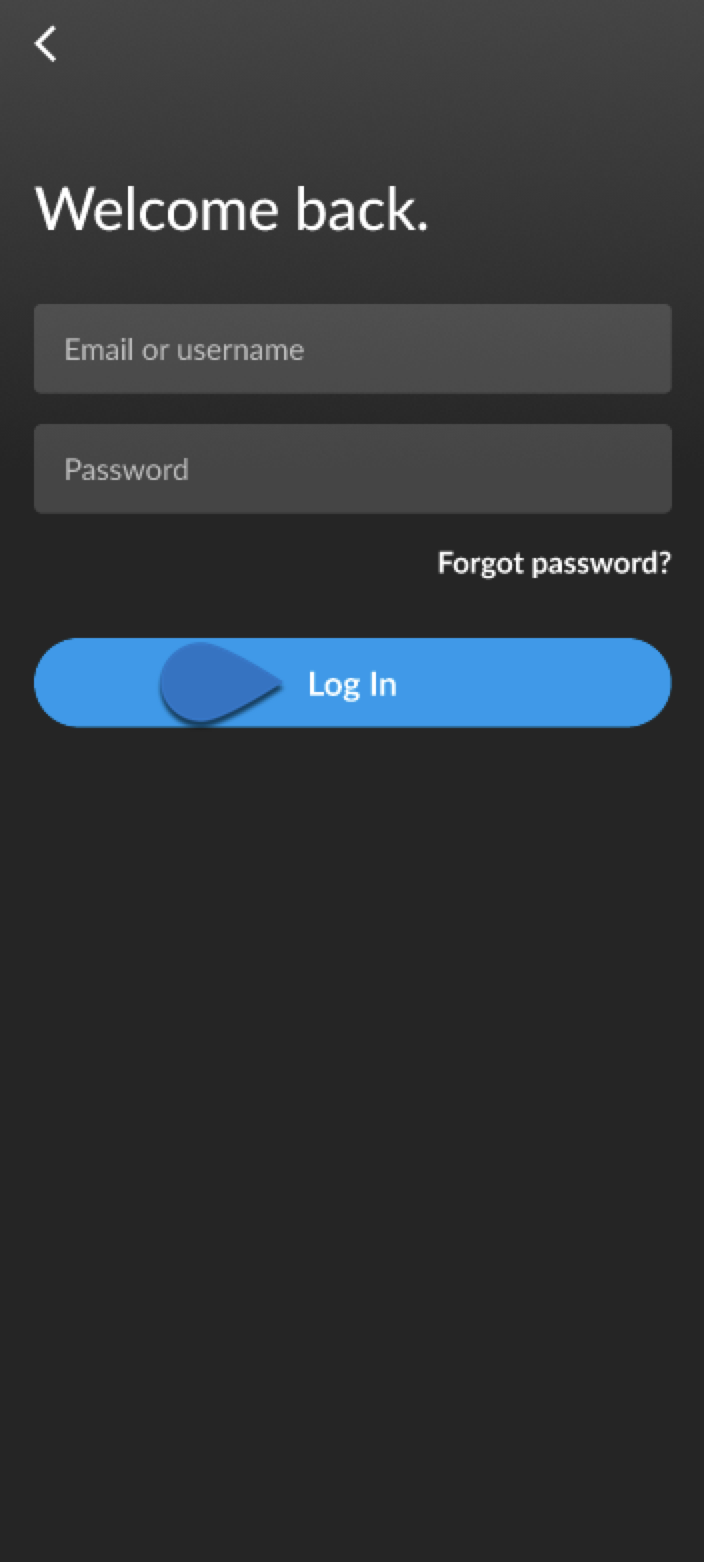
- Tap Share Location, then tap All the time.
Note: Location Services MUST be enabled to receive bypasses.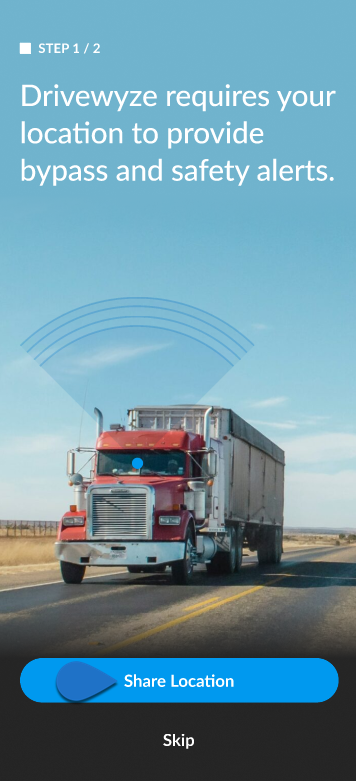

- Tap Turn On Notifications.
Note: Notifications MUST be enabled to receive bypass and safety alerts.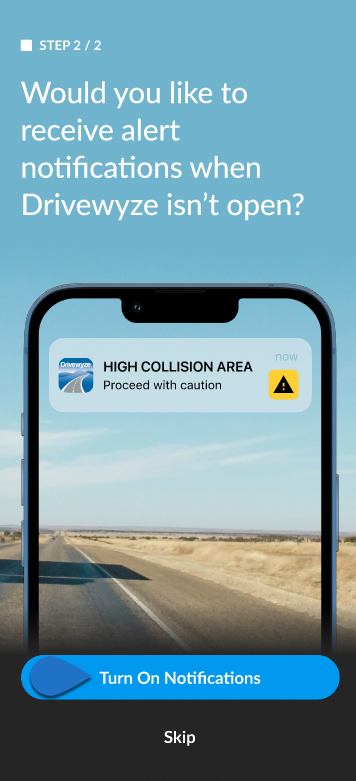
- Search for your vehicle by typing in the search box or scrolling, then tap on it to select it.
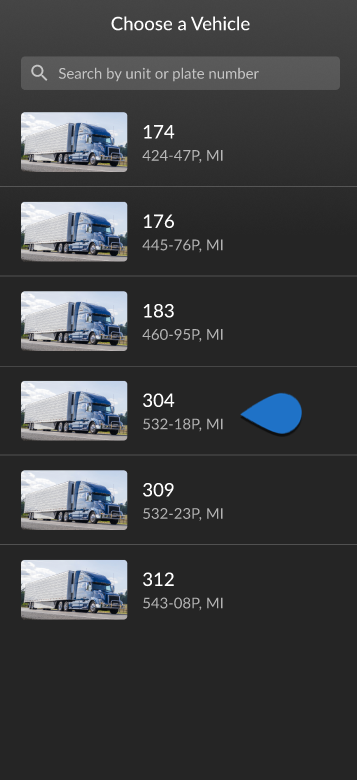
- You are now ready to receive bypasses and alerts.
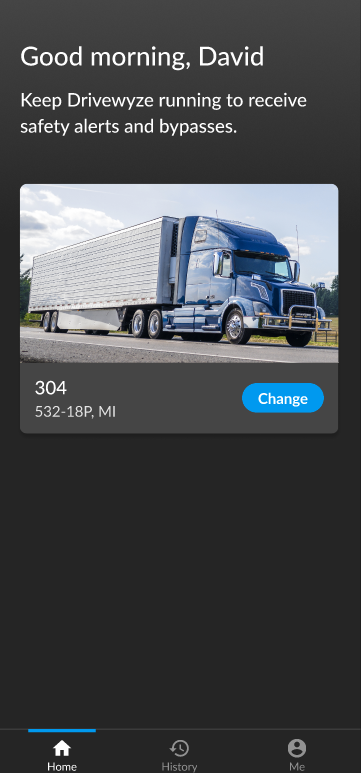
App Overview #
Home Screen #

| Callout | Description |
|---|---|
| a | Changes the vehicle. |
| b | The Home screen of the app. |
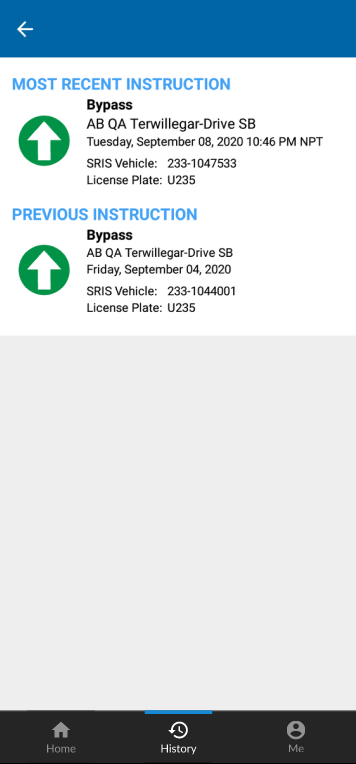
| c | History shows the most recent bypass instructions. |
| d | Me shows information about your bypass subscription, account information, alert settings, and help. |
History Screen #
Me Screen #
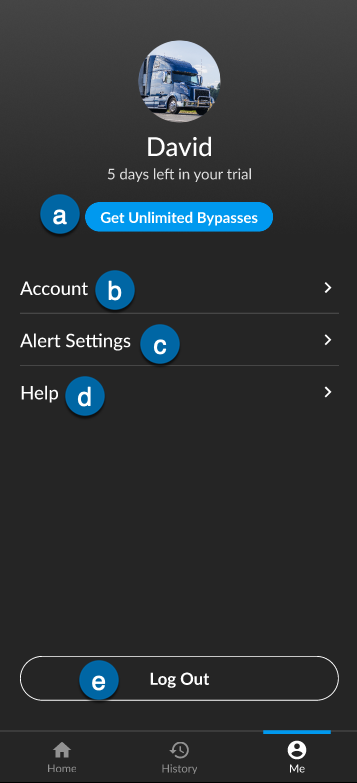
| Callout | Description |
|---|---|
| a | Subscribe to get unlimited bypasses. |
| b | Account shows your account information. |
| c | Change the app alert settings for your mobile device. |
| d | Open Drivewyze Help Center. |
| e | Log out of the app. |


